Text to Video AI: How to Create Videos with AI
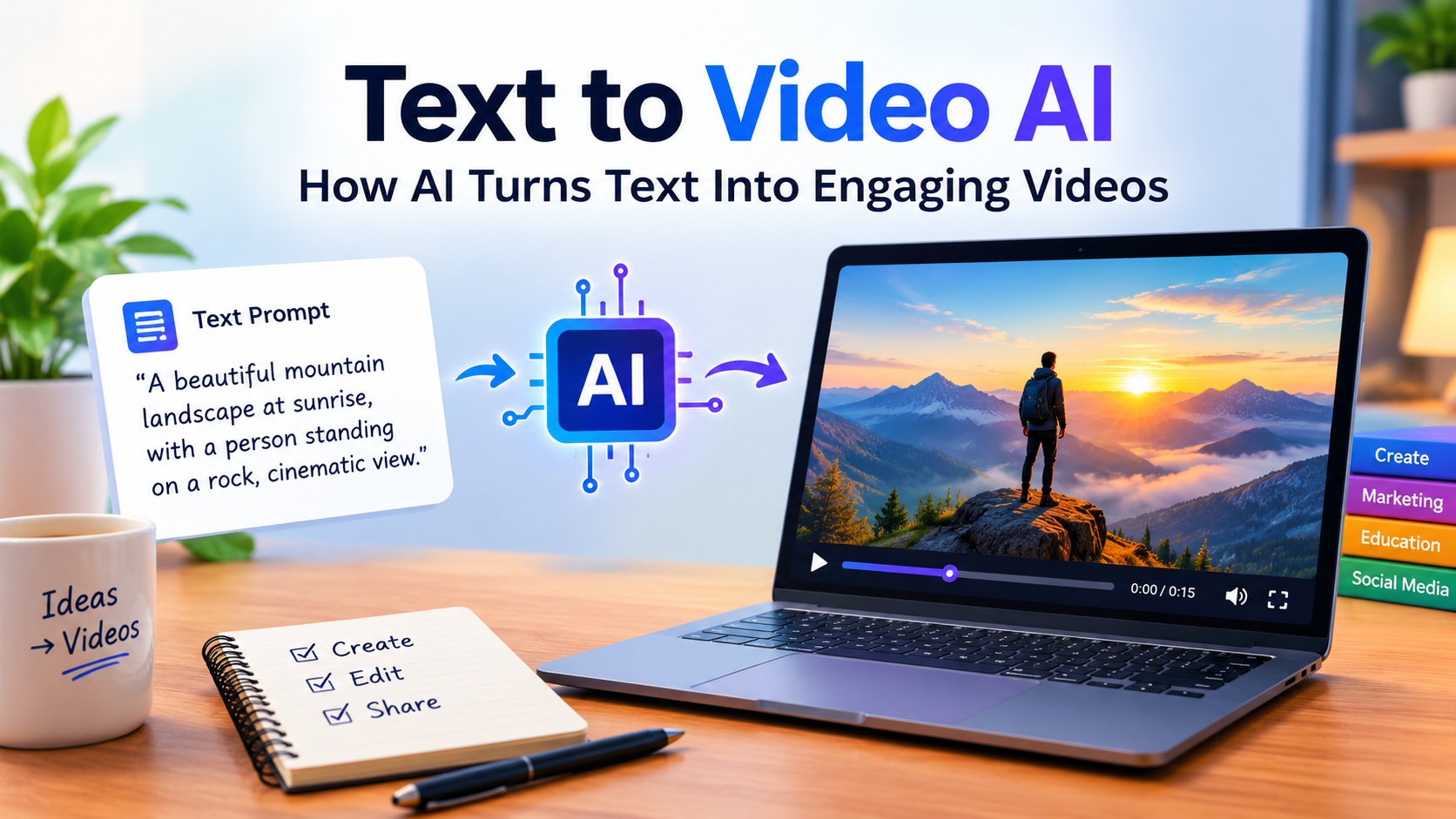
Text to Video AI: How AI Turns Text Into Engaging Videos
Creating a good video can take a lot of time. You may need a camera, editing software, voiceovers, music, and plenty of editing work. But things are changing quickly with Text to Video AI. Today, AI tools can turn a simple text prompt into a video, making the entire process much easier.
Whether you are a content creator, marketer, student, or business owner, AI text to video tools can help you create engaging videos without spending hours learning complicated editing software.
What Is AI Video Generation?
Text to Video AI is a technology that uses artificial intelligence to create videos from written instructions. You simply describe the scene or video you want, and the AI generates visuals based on your prompt.
Depending on the tool, you may be able to create realistic scenes, animations, characters, backgrounds, voiceovers, subtitles, and other elements. This makes AI video generation useful for everything from social media content to educational videos and marketing campaigns.
How Do AI Video Generators Work?
Using an AI video generator is usually quite simple. You start by entering a text prompt describing what you want to see in the video. For example, you could describe a product advertisement, a short story, or an educational scene.
The AI then processes your text and creates one or more video scenes based on your instructions. Many platforms also offer options for choosing the video style, aspect ratio, voice, music, and other settings.
However, the final result can vary depending on the AI model and the quality of your prompt. A clear and detailed description generally gives the AI more information to work with.
Benefits of AI Video Generators
There are several reasons why AI text to video generators are becoming popular:
- Saves time: AI can handle many parts of the video creation process automatically.
- Beginner-friendly: You don’t need advanced video editing skills to get started.
- Cost-effective: For simple projects, you may not need expensive equipment or a large production team.
- More creative options: You can experiment with different scenes, styles, and ideas quickly.
- Great for social media: AI-generated videos can be useful for YouTube Shorts, Facebook, Instagram, and TikTok.
- Faster content creation: Creators and businesses can produce video content more efficiently.
Best Uses of AI-Generated Videos
Text to Video AI can be useful in many different situations. Bloggers can turn written articles into short videos, while businesses can create product demonstrations, advertisements, and promotional content.
Teachers can also use AI-generated videos to make lessons more interesting and easier to understand. Meanwhile, content creators can use these tools for storytelling, tutorials, explainers, and faceless YouTube videos.
AI video generators can also be helpful when creating presentations, marketing content, and short-form videos for social media.
How to Write Better AI Video Prompts
Your prompt plays an important role in the final video. Instead of giving the AI a very short instruction, try to describe the subject, location, action, camera movement, lighting, mood, and visual style.
For example, instead of simply writing, “A person walking,” you could write:
“A young man walking through a modern city street at sunset, cinematic lighting, realistic style, smooth camera movement.”
A detailed prompt gives the AI a clearer idea of what you want, which can help produce a more accurate and visually appealing result.
Conclusion
Text to Video AI is making video creation more accessible for beginners, creators, and businesses. Instead of spending hours recording and editing, users can start with a simple idea and let AI turn that idea into video content.
From social media videos and marketing campaigns to educational content and storytelling, AI text to video tools offer plenty of creative possibilities. As AI video technology continues to develop, these tools are likely to become an even bigger part of the modern content creation process.
Share this content: