Google NotebookLM: Features, Benefits & How to Use
NotebookLM: Features, Benefits, and How to Use Google’s AI Tool
Artificial Intelligence is changing the way we learn, work, and find information. From writing content to solving everyday problems, AI tools are becoming part of our daily lives. One tool that is worth exploring is Google NotebookLM, an AI-powered assistant designed to make research and learning easier.
Whether you are a student, teacher, researcher, or blogger, working with large amounts of information can take a lot of time. Reading lengthy PDFs, organizing notes, and finding important details are not always easy. NotebookLM helps simplify these tasks by allowing you to work directly with your own research materials.
So, what makes this tool useful, and how can you get started? Let’s take a closer look.
What Is Google NotebookLM?
Google NotebookLM is an AI-powered research and note-taking tool that helps you understand information from your own sources. You can add supported documents, PDFs, text, and other available materials to create a notebook for a particular topic.
Once your sources are added, you can ask questions, explore key ideas, and generate summaries without manually searching through every page.
One useful feature is its ability to provide citations linked to your source materials. This makes it easier to check where an answer comes from and review the original information.
You can try NotebookLM by visiting its official website: https://notebooklm.google.com/
Key Features of Google NotebookLM
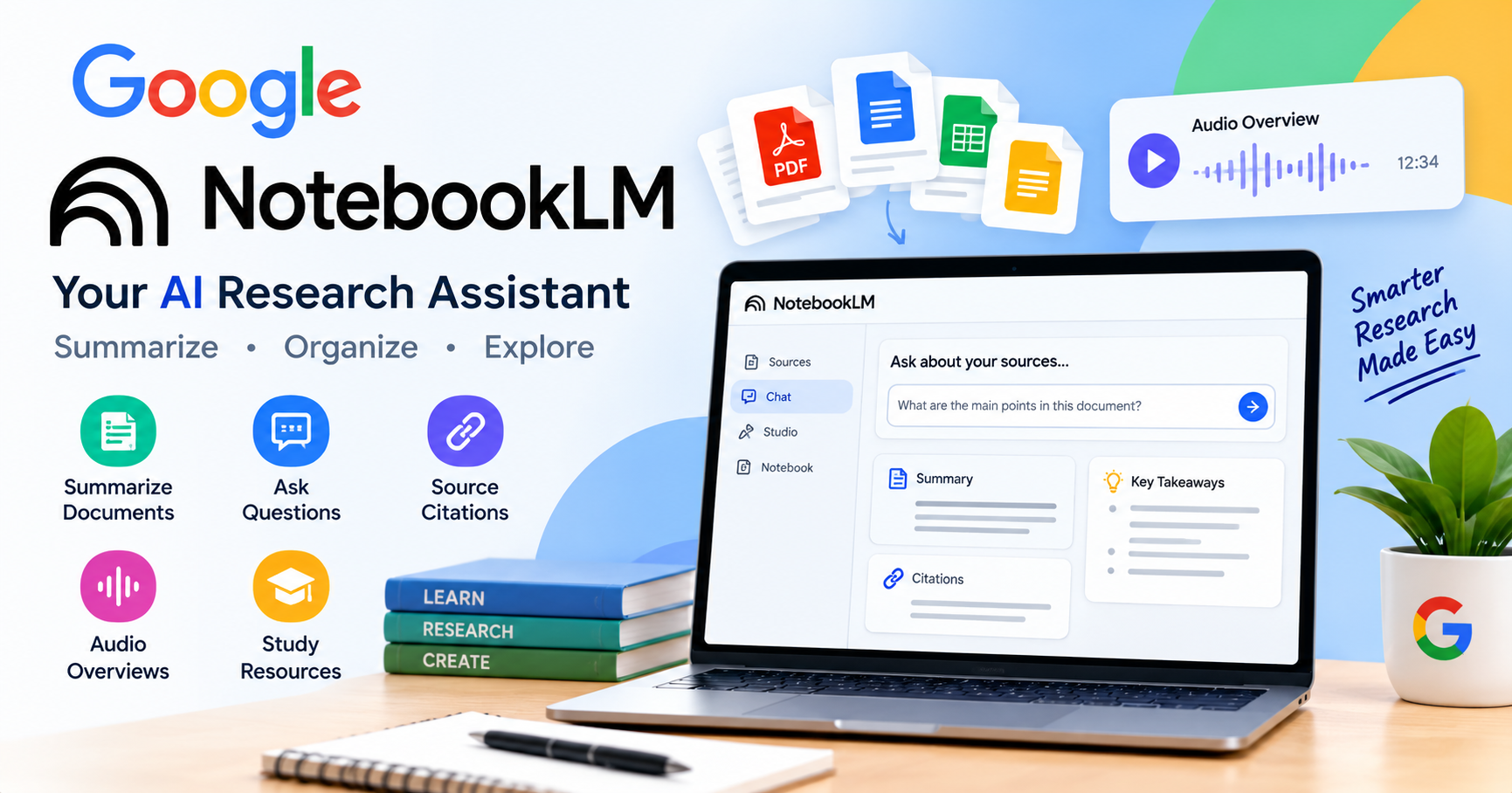
1. Summarize Long Documents
Reading a long report or research paper can be time-consuming. NotebookLM can help by turning lengthy material into shorter summaries that highlight the main points.
For students, this can make revision easier. Bloggers and researchers can also use summaries to understand a topic before exploring it in greater detail.
2. Ask Questions About Your Sources
Sometimes, finding one specific answer in a large document is harder than reading the document itself. NotebookLM allows you to ask questions about the sources in your notebook.
For example, after adding a research paper, you could ask, “What are the main findings of this study?” The tool can then help you locate and understand relevant information.
Keep in mind that AI-generated answers are not always perfect, so checking important details against the original source is still a good idea.
3. Check Source Citations
NotebookLM can connect answers to relevant passages in your uploaded materials. This is particularly helpful when researching technical subjects, reviewing reports, or studying academic papers.
Instead of simply accepting an answer, you can examine the supporting information and decide whether it accurately represents the source.
4. Turn Research Into Audio
One of NotebookLM’s interesting features is Audio Overviews. It can transform supported source material into an AI-generated audio discussion, offering a podcast-style way to explore a topic.
This can be useful when you want to review information while taking a break from reading. Audio options and language availability may vary depending on the current features.
5. Create Study Materials
NotebookLM can help organize information into useful learning resources. Depending on the features available to your account, you may be able to create study guides, FAQs, briefing documents, and other materials.
These resources can help students prepare for exams and professionals organize information for meetings or presentation.
Benefits of Using Google NotebookLM
NotebookLM offers several practical benefits for everyday research and learning.
- Saves time: Get a quick overview of lengthy documents.
- Makes learning easier: Explore difficult topics by asking questions.
- Keeps research organized: Group related sources in separate notebooks.
- Supports exam preparation: Turn study materials into useful revision resources.
- Helps bloggers: Collect and understand information before writing articles.
- Makes fact-checking easier: Use source citations to review supporting passages.
For bloggers and SEO content creators, NotebookLM can be a useful research companion. It can help organize source material and identify important points before an article is written. However, original analysis, fact-checking, and a clear writing style remain essential for producing valuable content.
How to Use Google NotebookLM
Getting started does not require advanced technical knowledge. Follow these simple steps.
Step 1: Open NotebookLM
Visit https://notebooklm.google.com/ and sign in with your Google account.
Step 2: Create a Notebook
Start a new notebook and choose a topic you want to research.
Step 3: Add Your Sources
Upload or add supported materials, such as PDFs, documents, or text, using the available source options.
Step 4: Ask Questions
Enter a question about your materials. For example, you could ask for the main ideas, important findings, or a simple explanation of a difficult concept.
Step 5: Explore the Results
Review the summaries, check citations, and try available features such as study resources or Audio Overviews.
Step 6: Verify Important Information
Before using the results in an assignment, report, or blog post, check the original sources and correct any mistakes.
Is NotebookLM Free to Use?
NotebookLM offers a free version for eligible users, although usage limits apply. Additional features or higher limits may be available through eligible Google subscriptions.
Because pricing, availability, and usage limits can change, check the official website for the latest information before choosing a plan.
For beginners, starting with the free version is a practical way to explore its research and note-taking features.
Final Thoughts
Google NotebookLM is a useful AI research tool for anyone who regularly works with documents, notes, or educational materials. Its ability to summarize information, answer questions about sources, and generate audio discussions can make research more manageable.
Students can use it to support their studies, researchers can organize their findings, and bloggers can use it to prepare for content creation.
The best approach is to treat NotebookLM as a research assistant rather than a replacement for your own judgment. When you combine its capabilities with reliable sources, careful fact-checking, and original thinking, it can become a valuable part of your daily workflow.
Share this content: