Windows vs MacBook 2026: Which Is Better for You?
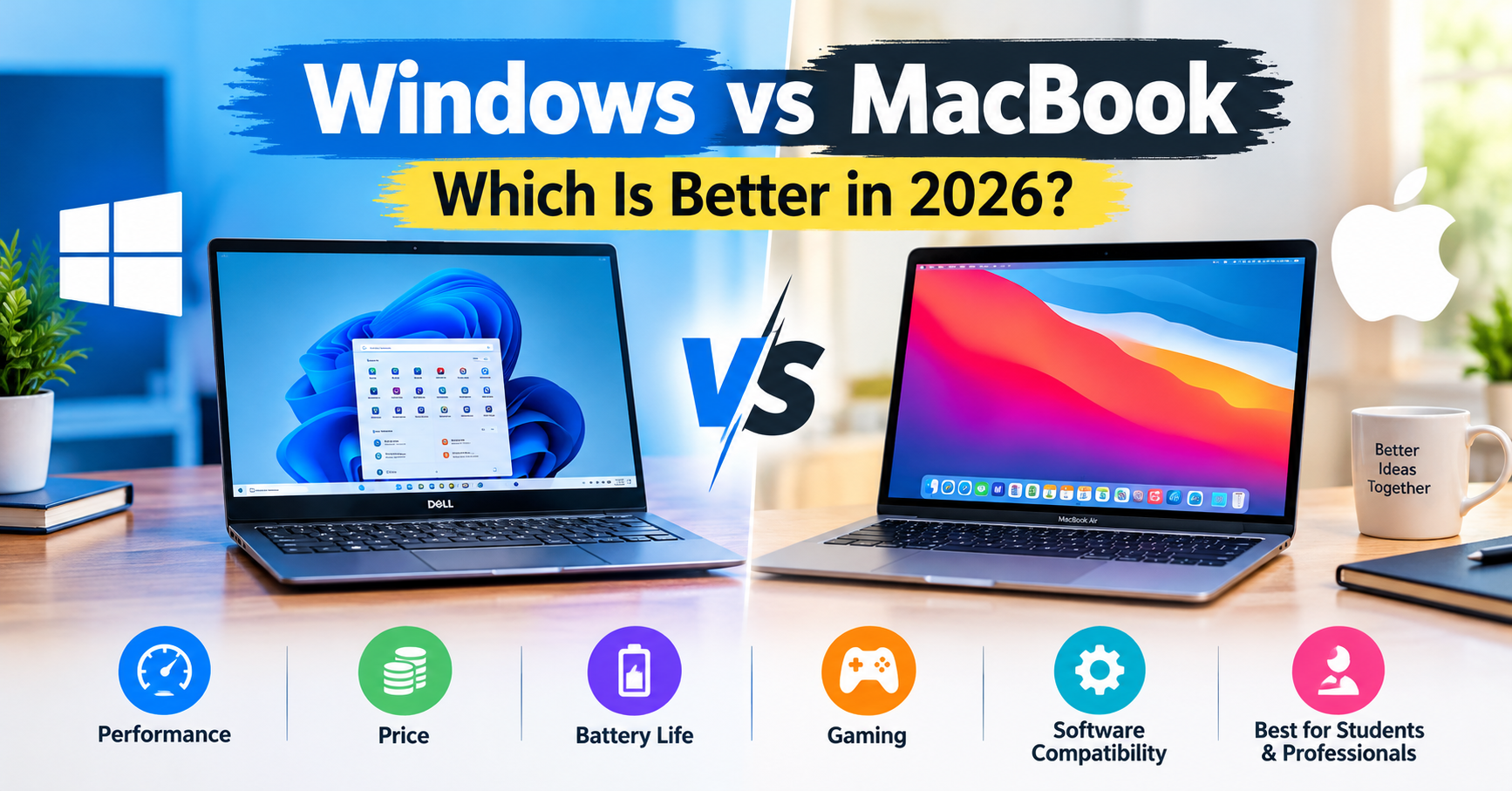
Windows vs MacBook: Which Is Better in 2026?
Windows vs MacBook is a common comparison for anyone planning to buy a new laptop in 2026. Both offer reliable performance, but each has its own advantages. Windows laptops come in a wide range of prices and configurations, making them suitable for students, gamers, and professionals. MacBooks are popular for their premium design, battery efficiency, and smooth macOS experience. Let’s compare their performance, price, battery life, gaming, and software compatibility to help you choose the right laptop.
1. Windows vs MacBook: What’s the Difference?
The biggest difference starts with the operating system. Windows laptops run Microsoft’s Windows OS and are available from brands like Dell, HP, Lenovo, ASUS, and Acer. MacBooks are made by Apple and use macOS.
Windows gives you more freedom to choose your hardware and budget. Whether you need an affordable laptop for college or a powerful machine for gaming, there’s usually an option available.
MacBooks take a more unified approach. Apple designs both the hardware and software, creating an experience that feels consistent and well integrated. This is one reason many professionals and creative users prefer them.
2. Performance and Speed
When it comes to Windows laptop vs MacBook performance, neither platform is automatically better in every situation.
MacBooks powered by Apple silicon deliver strong performance while keeping power consumption relatively low. They’re particularly useful for multitasking, programming, photo editing, and video production.
Windows laptops offer plenty of performance options, from everyday processors to powerful CPUs and dedicated graphics cards. If your work involves demanding engineering applications, 3D rendering, or high-end gaming, a suitable Windows laptop can be an excellent investment.
For everyday activities such as browsing, watching videos, attending online meetings, and working with documents, both platforms can perform very well.
Winner: It depends on the model and your workload. MacBooks stand out for efficiency, while Windows offers greater hardware variety.
3. Price and Budget
Budget is often the deciding factor when comparing Windows vs MacBook.
Windows laptops are available at almost every price point. Students and casual users can find affordable models, while professionals can choose premium laptops with powerful hardware.
MacBooks generally sit in the mid-range to premium segment. Although older and refurbished models may cost less, a new MacBook can be a significant purchase.
For buyers in Bangladesh, Windows laptops are often easier to match with a specific budget. They also provide more choices when comparing specifications, brands, and features.
Winner: Windows laptops for affordability and choice.
4. Battery Life and Portability
If you spend a lot of time away from a power outlet, battery life deserves serious consideration.
MacBooks with Apple silicon are known for their power efficiency, making them attractive to students, remote workers, and frequent travelers. Their lightweight designs also make many models convenient to carry throughout the day.
Windows laptops vary more widely. Some thin-and-light models offer excellent battery life, but powerful gaming laptops generally consume more energy.
Actual battery performance depends on the model, screen brightness, applications, and workload, so checking independent reviews before buying is worthwhile.
Winner: MacBook for consistently strong battery efficiency across many models.
5. Gaming and Software Compatibility
Gaming is one area where Windows has a clear advantage. It supports a much broader library of PC games, along with a wide selection of graphics cards, gaming accessories, and hardware configurations.
Windows is also a practical choice for people who rely on specialized applications for engineering, business, or other professional tasks.
MacBooks can handle many creative applications and support a growing selection of games. However, some popular PC games and Windows-specific programs aren’t available natively on macOS.
Before choosing either platform, check whether the software you need runs properly on your preferred operating system.
Winner: Windows for gaming and broad software compatibility.
6. Which Is Better for Students and Professionals?
For students, a Windows laptop is often a sensible option because it offers affordable choices for assignments, research, presentations, and online classes.
A MacBook can be worth considering if portability, battery life, and creative applications are higher priorities. Students who already use an iPhone or iPad may also appreciate Apple’s connected ecosystem.
Professionals have a little more to consider. Programmers, writers, designers, and video editors can work effectively on either platform. However, people who depend on Windows-only software should check compatibility before switching to macOS.
Ultimately, your daily workflow matters more than the brand on the laptop.
Windows vs MacBook: Quick Comparison
| Feature | Windows Laptop | MacBook |
|---|---|---|
| Price | More budget options | Generally more expensive |
| Performance | Wide range of hardware | Strong performance and efficiency |
| Battery life | Depends on the model | Often excellent |
| Gaming | Extensive game support | More limited selection |
| Customization | More hardware flexibility | More limited hardware options |
| Build quality | Varies by manufacturer | Generally premium |
| Software compatibility | Broad Windows support | Strong macOS app ecosystem |
Final Verdict: Windows vs MacBook in 2026
So, which one should you buy?
A Windows laptop makes more sense if you want an affordable device, enjoy PC gaming, need specific Windows software, or prefer having plenty of hardware options.
A MacBook is a strong choice if you value battery efficiency, portability, premium construction, and seamless integration with other Apple devices.
Neither option is perfect for everyone. Compare the specifications, warranty, software requirements, and current prices of the individual models before making your decision.
The best laptop isn’t necessarily the most expensive one. It’s the device that fits your budget, supports your work, and makes everyday tasks easier.
Frequently Asked Questions (FAQs)
1. Is Windows better than MacBook?
Windows is generally better for gaming, budget flexibility, and hardware variety. MacBooks are attractive for battery efficiency, portability, and creative work.
2. Is a MacBook worth buying in 2026?
Yes, provided the model meets your performance needs and fits your budget. Its battery efficiency, build quality, and software support can make it a worthwhile choice.
3. Which is better for students: Windows or MacBook?
Windows laptops are often more affordable, while MacBooks appeal to students who prioritize portability, battery life, and Apple’s ecosystem.
4. Which is better for programming?
Both Windows laptops and MacBooks are suitable for programming. Your choice should depend on your preferred development tools, operating system requirements, and budget.
Share this content: